Live loop scenes
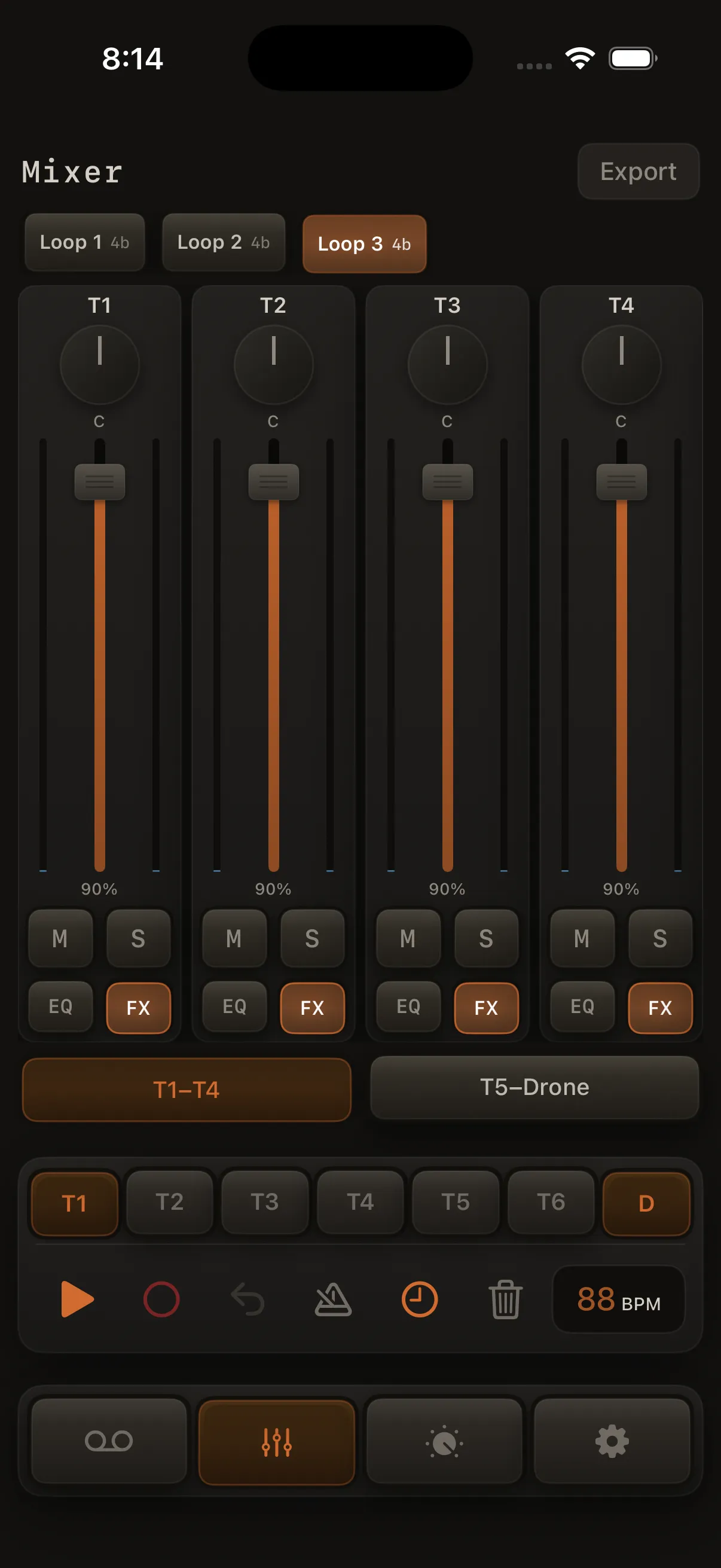
When a song has two or more loops, the Mixer shows a row of loop pads so you can switch scenes during a performance without stopping playback.
This is different from the loop pill in the header, which is for editing and stops playback when you switch.
When the loop strip appears
- Shows automatically when your song has at least two loops
- Always visible in the Mixer — no extra toggle
- Each pad shows the loop name
Switching while playing
- Start playback on the performance screen
- Open Mixer (on iPad it may already be visible beside the performance view)
- Tap a different loop pad
What happens:
- The switch happens at the start of the next loop cycle (beat 1 of the next time around)
- Playback keeps going — no stop/start
- The new loop loads with its recordings, mix, key, scale, mode, and length
- The handoff matches Play Arrangement — notes still sounding from the outgoing loop fade out at their natural release time (no hard cut) while the new loop's events take over
- Reverb and delay tails continue naturally across the change
Tap a queued pad again to cancel the pending switch.
Switching while stopped
If playback is stopped, tapping a loop pad switches right away.
When you can't switch
Loop switching is unavailable while:
- An arrangement is playing
- An export is in progress
- You're recording (armed and playing)
If you send the app to the background, any queued switch is cancelled.
Each loop remembers its own mix
Every loop stores its own:
- Track recordings and sounds
- Per-track drum kits, pad settings, and drum recordings
- Mixer levels, pan, mute, solo, EQ, and FX (Character, inserts, tone reverb, Atmosphere)
- Key, scale, performance mode, and length
Changes you make are saved to the current loop. When you switch away, that loop's state is saved before the next one loads.
Loop pill vs Mixer strip
| Control | Best for | Playback |
|---|---|---|
| Loop pill (header) | Editing, duplicating, renaming loops | Stops when you switch |
| Mixer loop strip | Live performance / on stage | Keeps playing |
Use the pill while composing; use the strip while performing.