Hold mode (note latch)
Hold lets you toggle notes on and off with taps instead of holding your finger down. Each tap on a pad turns that note on; tap the same pad again to turn it off. Latched notes keep playing until you toggle them off.
Hold works only in Notes mode. It is a session tool — it is not saved with your song (like Erase). Hold on/off is per track: each of T1–T8 can have Hold enabled independently.
Turning Hold on
- Switch to Notes mode
- Select the track you want to latch on
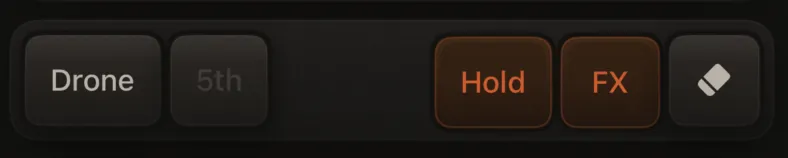
- In the Extras row (below the pad grid), tap Hold
The Hold button only appears in Notes mode and reflects the selected track. When Hold is on and available, the button uses the orange accent; when it can't be used (ARP or Pulse active), it is dimmed.
How it works
| Action | Result |
|---|---|
| Tap a pad (note off) | Note on — stays sounding |
| Tap the same pad again | Note off |
| Lift your finger | No change — release is ignored |
| Tap another pad | That note latches on; previous latched notes on this track keep playing |
| Switch tracks | Hold button follows the new track; other tracks keep their Hold state and any latched notes still sound |
| Turn Hold off | Releases latched notes on this track only |
Each track shares a 16-voice synth pool. Latching many notes at once can still hit that cap — quieter or older notes may drop when the pool is full.
Pad feedback
While Hold is on for the selected track, pads that are latched on that track show an orange outline (similar to the ARP root ring).

Recording
If the selected track is armed and the loop is playing, latching a note on records a note-on; toggling it off records a note-off — same as normal performance recording.
After one full loop cycle from the first latched note while armed, Hold auto-releases that track’s latches (recording the note-offs) so the captured loop can play back without stacking on top of the live sustained notes. Hold mode itself stays on so you can latch again for another pass. Free play with the transport stopped keeps notes latched until you toggle them off.
Hold, ARP, and Pulse
You cannot use Hold while an ARP preset is active on the selected track, or while Pulse is on. The Hold button is disabled in those cases. Turning Pulse on clears Hold on every track.
For tempo-synced retriggers instead of a sustained latch, use Pulse mode.
Erase still takes priority when it is on (and clears Hold latches).
Leaving Notes or the app
- Switching to Chords or Drums releases all latched notes (so nothing keeps sounding where you cannot see the latch); per-track Hold on/off flags are kept for when you return to Notes
- Backgrounding the app stops playback and clears latched notes
- Erase on also clears latched notes and turns Hold off
Sounds that work well with Hold
Hold keeps the synth envelope in sustain until you toggle off. Recipes with sustain at 0 (e.g. Glassy Rain) are plucks — they decay to silence even while "latched." For sustained pads, use recipes with higher sustain (e.g. Evolving Cloud) or raise sustain in the envelope.
Pairing Hold with Atmosphere → Space Send (in Mixer → FX; see Track sound design) adds a decaying reverb tail that suits long held notes.