ARC-24 Documentation
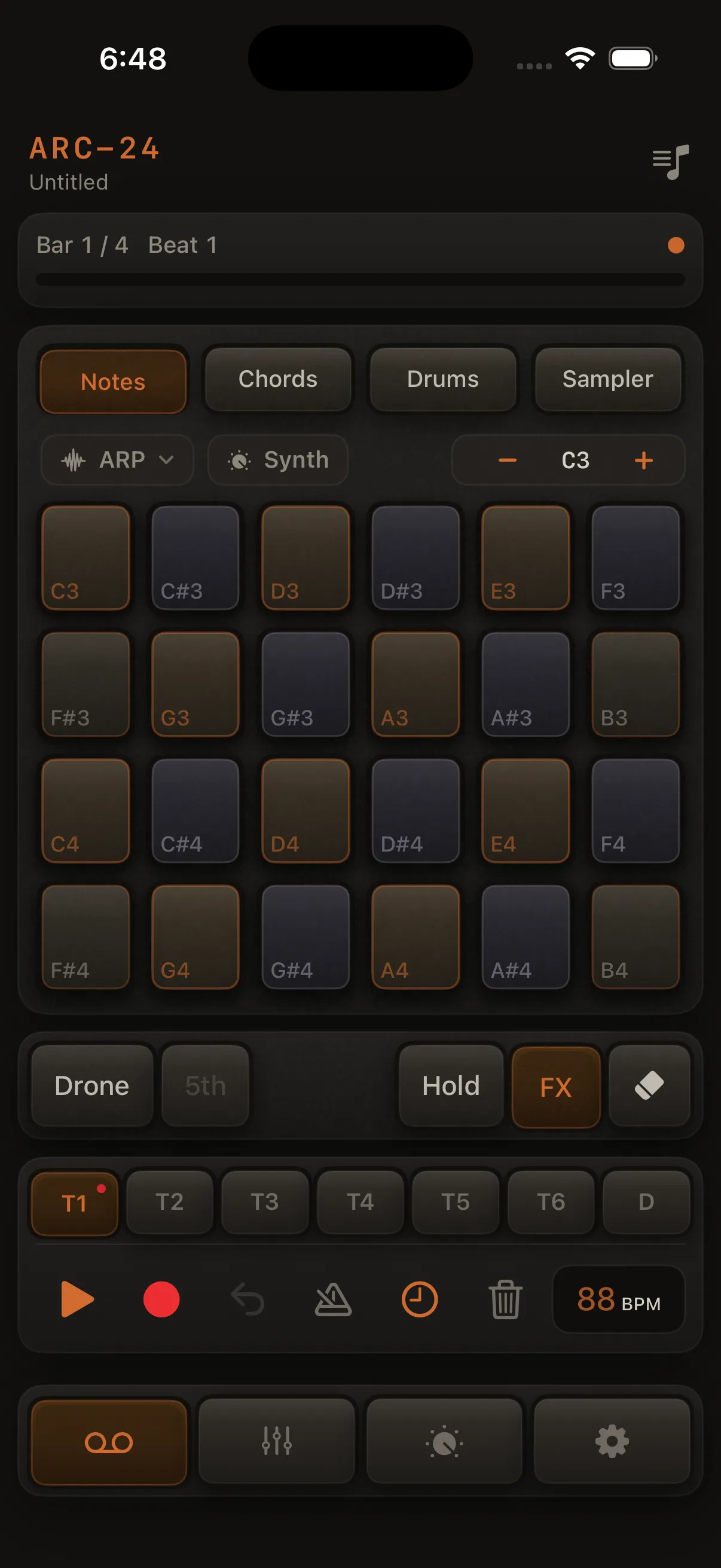
ARC-24 is a multitrack groovebox app for iPad and iPhone. Play in-key pads, layer eight synth, sample, or drum parts, shape your sounds, mix, build songs from multiple loops, and export finished audio.
Quick Start
Use the sidebar to browse topics, or start with Getting started.
What you can do
- Play in Notes, Chords, Drums, or Sampler mode
- Record layered loops on eight tracks (synth, sample, or drum pads)
- Tighten timing with quantize and humanize
- Design sounds — the Sound Design Track pane follows the selected track's instrument (synth voice, drum kit + pads, or sampler settings); all channel FX (tone reverb, Atmosphere, Motion/Bloom, Character, delay, inserts) in Mixer → FX
- Latch notes in Notes mode with Hold
- Mix with faders, pan, mute, solo, EQ, and FX (reverb, delay, inserts)
- Switch loops live from the Mixer during performance
- Build songs with multiple loops and a full arrangement
- Export as WAV or AAC
- Play from a MIDI controller — USB or Bluetooth; Notes, Drums, and Sampler modes
Quick links
| I want to… | Read |
|---|---|
| Import or record your own samples | Sampler |
| Record my first loop | Getting started |
| Hear the demo or restore it | Getting started |
| Use triads, 7ths, and sus chords | Chords |
| Use the arpeggiator (ARP) | Arpeggiator (ARP) |
| Latch sustained notes (Hold) | Hold mode |
| Add a reverb tail on a track | Mixer → FX → Atmosphere |
| Shape channel effects (delay, inserts, tone reverb) | Mixer → FX |
| Edit the synth voice only | Track sound design |
| Record drums or synths | Recording |
| Connect a MIDI keyboard or drum pads | MIDI input |
| Fix late notes over Bluetooth | Troubleshooting |
| Switch loops while playing | Live loop scenes |
| Export my music | Export |
| Save an export to Files | Export → Saving the file |
| Sync songs between devices | Songs, loops & arrangement · Troubleshooting |
| Understand trial and unlock | Purchasing |
Requirements
- iOS 18 or later
- iPhone or iPad
- Optional: iCloud Drive for syncing songs between devices (open the song list or return to the app to refresh)